How to Turn a Kid's Photo Into a Coloring Page (3 Simple Steps)
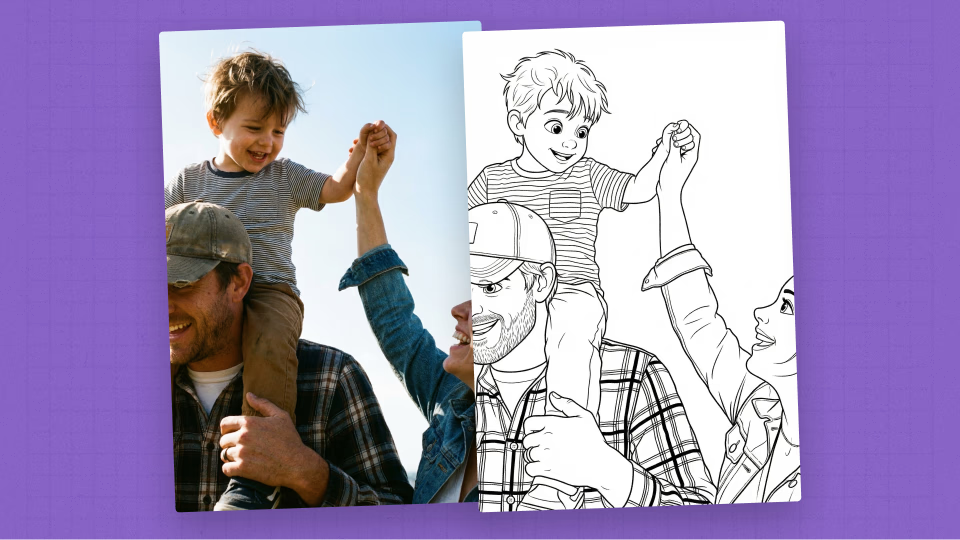
There's something magical about watching a toddler pick up a crayon and start coloring a picture of themselves.
Generic coloring pages are fine. But a coloring page that features your actual kid at the park, blowing out birthday candles, or playing with the family dog, that's a whole different level of engagement. Kids recognize themselves on the page, and they light up.
The good news: turning a baby photo into a printable coloring page takes less than a minute, requires zero design skills, and you can do it right from your phone.
Here's exactly how.
What You'll Need
-
A photo of your kid or toddler (JPG, PNG, or HEIC format — basically any photo from your phone)
-
A device with a browser (phone, tablet, or computer — ColorBooth works on all of them)
-
A printer (any home printer works — standard paper is fine, cardstock is even better)
That's it. No design software. No Photoshop. No artistic talent required.
Step 1: Choose the Right Photo
Not every photo converts equally well into a coloring page. The AI needs clear visual information to create clean, colorable lines. Here's what works best:
Best photos for coloring pages:
-
Well-lit photos where your child's face and features are clearly visible. Natural daylight is ideal.
-
Close-up or medium shots work better than wide-angle group photos. One or two subjects is the sweet spot.
-
Clear, in-focus images. The sharper the photo, the crisper the coloring page lines.
-
Simple backgrounds produce cleaner results, but the AI handles busy backgrounds surprisingly well too.
Photos to avoid:
-
Very dark or underexposed photos — the AI can't create lines from shadows.
-
Blurry or motion-blurred images — they produce fuzzy, unclear line art.
-
Extreme close-ups (just a nose or an eye) — the AI needs enough context to create a recognizable image.
Pro tip: You don't need a professional photo. A candid phone snapshot from your camera roll works great. Some of the best coloring pages come from everyday moments — bath time, playing in the yard, or sitting in a high chair covered in spaghetti.
Step 2: Upload and Convert
This is where the magic happens. Here's the process:
1. Go to ColorBooth and sign up with your email (takes about 10 seconds). Your first coloring page is free.

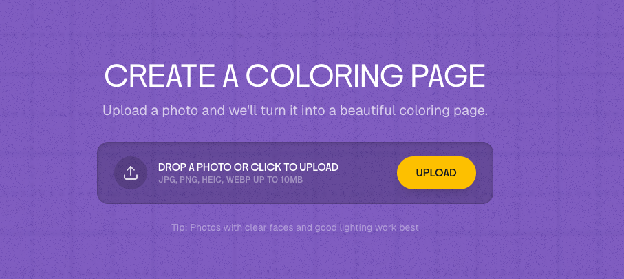
2. Click "Generate" and you'll see the upload area. Drag and drop your photo, or tap to select one from your camera roll.
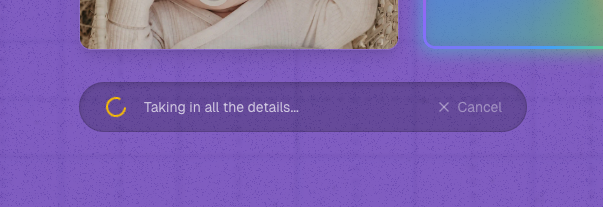
3. Wait about 30–60 seconds while the AI processes your photo. You'll see a progress indicator ("Erasing a smudge or two…") while it works.
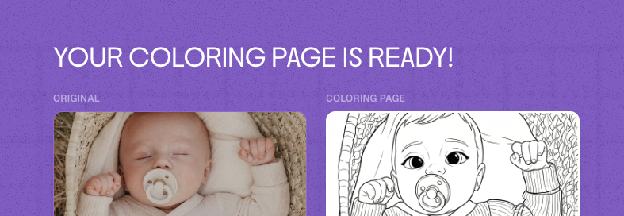
4. Your coloring page appears side-by-side with the original photo. You can see the result instantly and decide if you're happy with it.
That's the entire conversion process. No settings to adjust, no filters to choose, no sliders to fiddle with. Upload, wait, done.
Try different styles:
ColorBooth offers multiple conversion styles, including Pixar-style (the signature look), classic cartoon, and realistic line art. If you're not 100% happy with the first result, try a different style — each one produces a different aesthetic.
Step 3: Download and Print
Once you're happy with the result:
1. Click the "Download" button to save the coloring page to your device. The file is high-resolution and sized for standard printing.

2. Open the file and hit print. The coloring page is optimized for standard letter-size (8.5" x 11") or A4 paper. No need to adjust settings — just print at 100% scale.
3. Hand it to your kid with some crayons and watch the magic. There's nothing quite like seeing a toddler recognize themselves on a coloring page.
Printing tips for best results:
-
Standard printer paper works fine. If you want the page to hold up to aggressive toddler coloring, use slightly thicker paper (28-32 lb) or cardstock.
-
Print in grayscale/black and white to save ink. The coloring page is already black lines on white — you don't need color printing.
-
Print multiple copies. Kids will want to color the same page again. Or hand out copies at playdates and birthday parties.
5 Fun Ways to Use Your Kid's Coloring Page
Once you've turned a kid's photo into a coloring page, the creative possibilities go way beyond just coloring:
1. Birthday party activity. Convert the birthday kid's photo and hand out copies as a party activity. Kids love coloring a picture of the guest of honor.
2. Grandparent gift. Create a mini coloring book of your child's best photos. Print 5–10 pages, staple them together, and give them as a personalized gift. Grandparents absolutely melt.
3. Milestone keepsakes. Turn monthly baby photos into coloring pages. First steps, first tooth, first ice cream — color them in and save them in a scrapbook.
4. Travel entertainment. Print a stack before road trips or flights. Personalized coloring pages hold attention longer than generic ones because kids are invested in the picture.
5. Classroom handout. Teachers: turn a class photo into coloring pages for an end-of-year activity. Or let each kid bring in a photo and make their own.
Tips for Getting the Best Coloring Pages
After converting hundreds of photos, here are the tricks that make the biggest difference in quality:
-
Crop before uploading. If the photo has a lot of background clutter, crop it to focus on your baby before uploading. This gives the AI a cleaner subject to work with.
-
Try portrait AND landscape photos. Both orientations work. Landscape photos with scenery (beach, park, backyard) create coloring pages with more detail and context.
-
Pets work too. The family dog or cat makes an excellent coloring page subject. Try a photo of your kid with the pet for maximum cuteness.
-
Group shots are fine. Family photos with 2–4 people convert well. Very large groups (8+) may lose detail on individual faces.
-
Experiment with different photos. Sometimes a candid, slightly imperfect photo produces a better coloring page than a posed portrait. The AI picks up on personality and expression.
FAQs
1. Is it really free?
Your first coloring page is completely free — every new account gets 1 credit to try it out. After that, you can purchase credit packs to keep creating. Credits never expire, and there are no subscriptions or recurring charges.
2. How long does it take?
Most conversions finish in under a minute. Upload, wait, done.
3. Do I need to install an app?
No. ColorBooth works entirely in your browser — phone, tablet, or computer. Nothing to install.
4. Are my photos stored safely?
Yes. Your original photo is deleted from our servers the moment your coloring page is generated — we never store it. Only the finished coloring page is saved to your private gallery. We never share or sell your data. You can permanently delete any coloring page at any time.
Have more questions? Check out our full FAQ page.
Ready to Try It?
Turning a baby photo into a coloring page takes less than a minute and costs nothing to try. Pick your favorite photo from your camera roll and see the result for yourself.
Your toddler is going to love coloring a picture of themselves. Trust us, we're dads, we've tested this.
Have questions? Check out our FAQ.